Ticket Number for Domestic Flights

What is a Ticket Number?

  • Ticket numbers are 13-digit numbers issued to each customer when purchasing a ticket.
  • This is one of the authentication codes required when proceeding forward.

When the Ticket Number is required

It is necessary in the following situations:

How to Check your Ticket Number

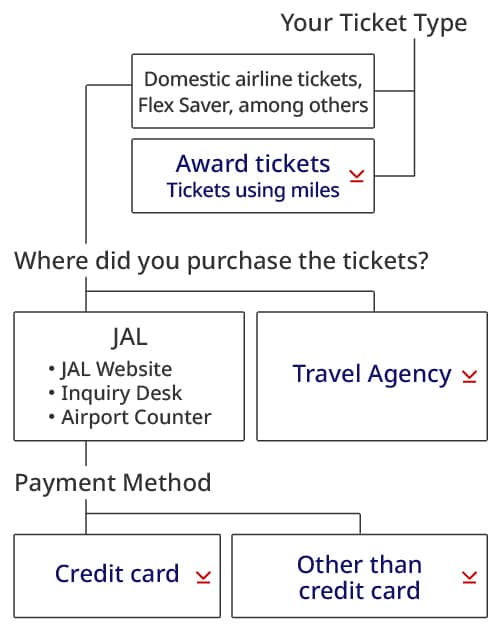
Your ticket nunber depends on the ticket type and your purchasing method.
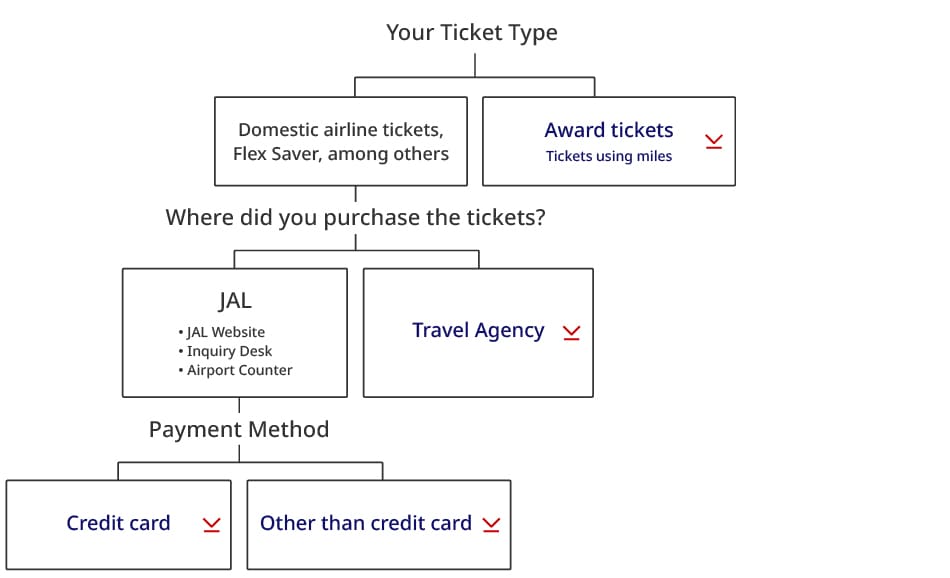
JAL Website, Contact Center, and Airport Counters Open

When purchasing with a credit card

Where you can check

  • Purchase completion screen
    Click the "Reservation Details" button to display
  • Purchase completion email
    Subject: [JAL domestic flights] Purchase details notification
  • Ticket number notification email
  • Airline ticket number notification SMS
  • E-ticket customer copy
  • Reservation details screen *Sent before boarding
    The verification procedure is as follows:

1. Log in as a JMB member or check your reservation by entering the passenger name, boarding date, airline, flight number, and reservation number.

2. Select "Search for ticket number" under "Reservation and boarding services" on the reservation details screen.

3. Enter the last four digits of the credit card number used for payment, then tap "Confirm" to display the ticket number on the next screen.

(Emails and other such messages will not be sent. Please safe keep the ticket number.)

When purchasing tickets other than with a credit card

Where you can check

[When purchasing with e JAL Points]

  • e-ticket itinerary/receipt
  • Purchase completion screen
    Click Reservation Details
  • Purchase completion email
    Subject: [JAL domestic flights] Purchase details notification

[When purchasing at a convenience store (cash), bank or post office ATM, via internet transfer, or with a JAL travel voucher]

  • e-ticket itinerary/receipt
  • Ticket number notification email
  • Airline ticket number notification SMS
  • For customers who are not JMB members and make reservations through our inquiry desk or airport counter, we register a phone number instead of an email address when making a reservation. For customers who provide a mobile phone number, we may notify them of their ticket number via SMS.

Please safe keep the email message and receipt. 

Domestic Award Tickets

How to Check Your Ticket Number

You can find your ticket number in the automatic email message sent when you finalized your domestic award ticket transaction.

Please check the section labeled Electronic Ticket Itinerary/Receipt.

Email subject:[JAL] eチケットお客さま控え - Electronic Ticket Itinerary/Receipt

If you did not receive the above email

Go to Manage booking to find your ticket number before your flight date by following the steps:

  1. Log in as the passenger or the mileage redemption member.
  2. Select the relevant reservation from your reservation list.
  3. Click the “Electronic Ticket Itinerary/Receipt ” button in your reservations.
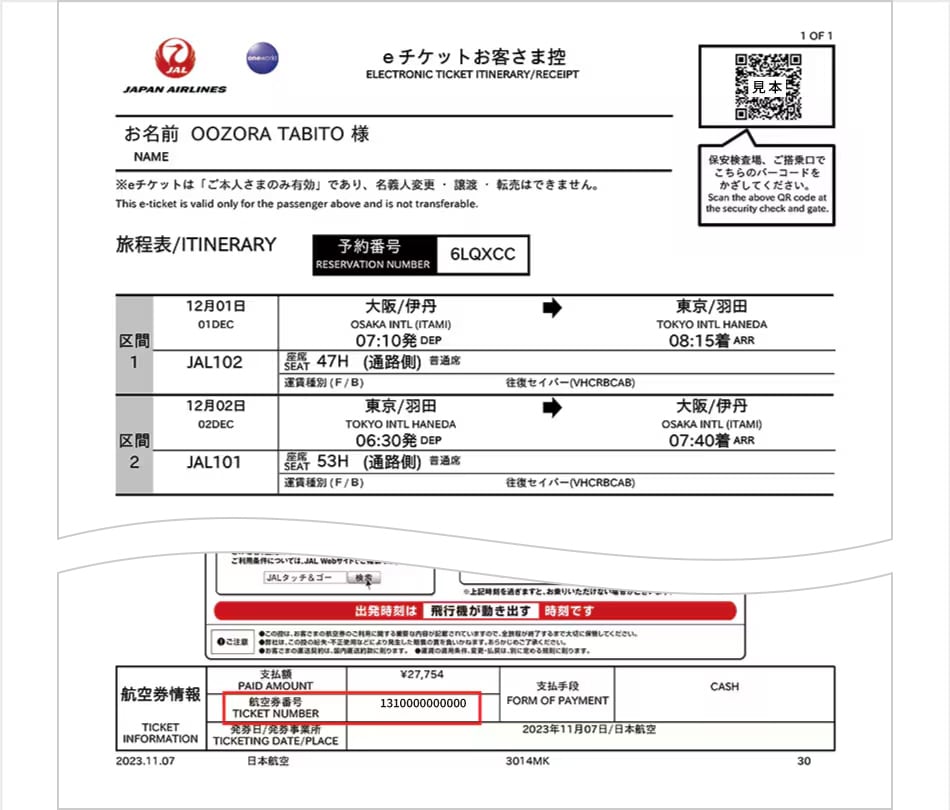
Travel Agency Open

  • "E-ticket customer copy" or "email" when purchased from a travel agency
    • If you only have a reservation number, please contact the travel agency directly.