





-
Can the time or seat number be changed after I book my ticket?

-
I received an email notifying me of a time change. What should I do?
-
I received a notice of time change. Can I change or cancel it because it is inconvenient?
-
I received an email notifying me of a time change, but how can I check the original appointment time?
-
I received an email regarding a change in the appointment time, but the "Change or cancel seats" button does not appear on the appointment details screen. What should I do?
Confirming a seat or class change
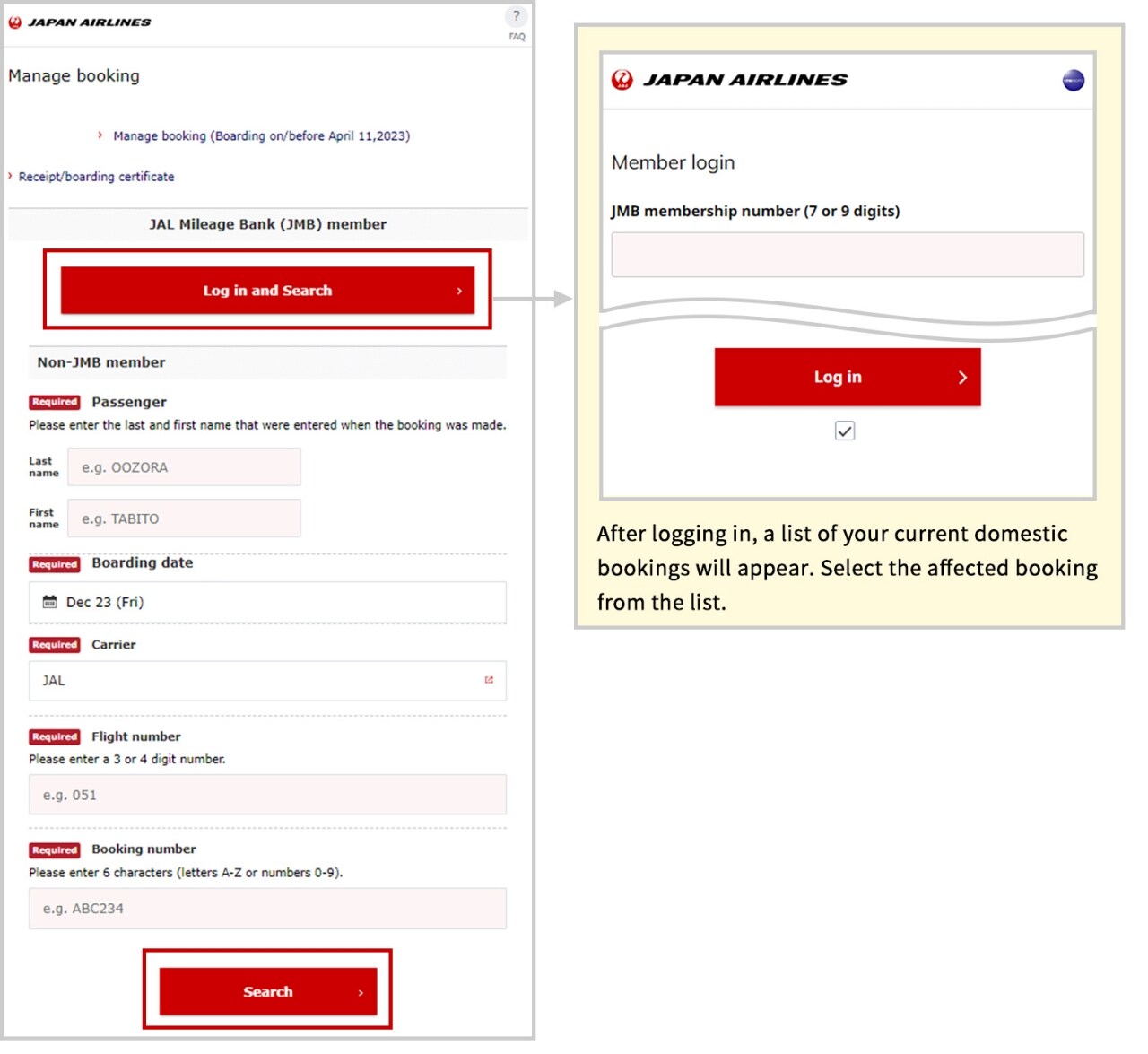
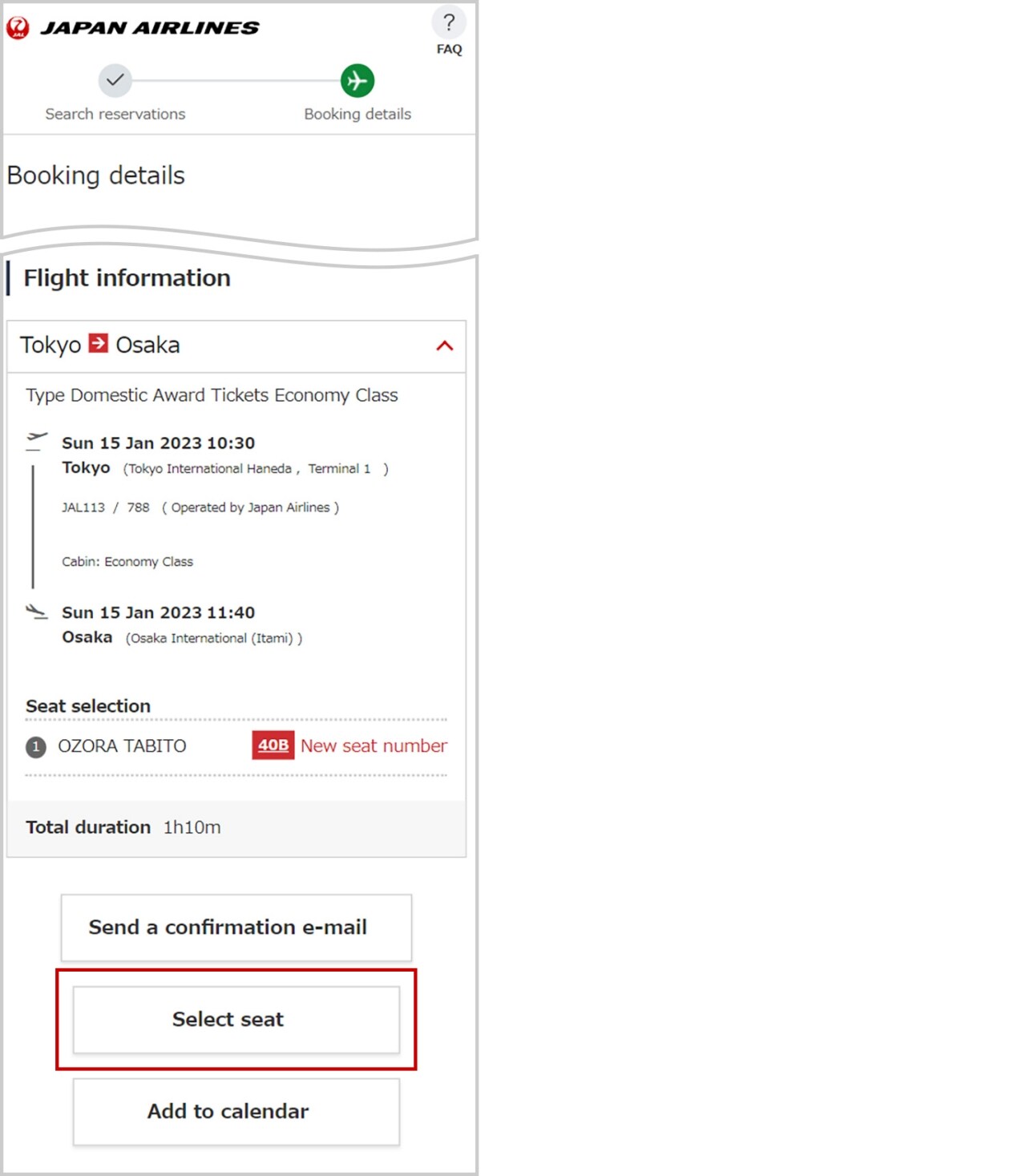
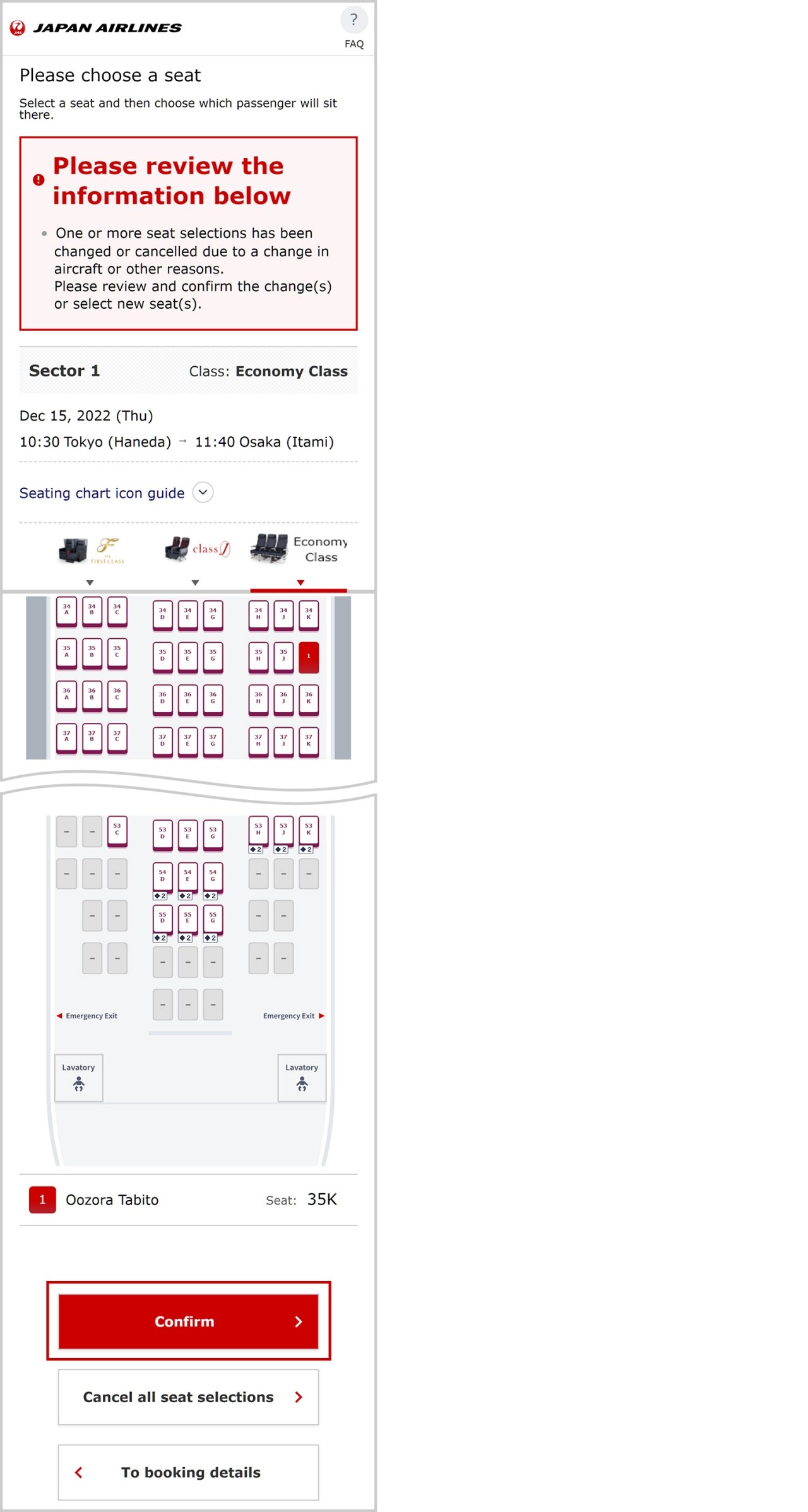
If your seat number or class of service has changed, please check your new booking details on the JAL website and confirm your seat/class at least 20 minutes prior to your booked flight.
- If there are changes to your booked flight, you can check your seat after click or tap "Confirm booking with these flights".
If only your seat number has changed and you accept the new seat assignment Open
If your class of bording class has changed and you accept the new class assignment Open
Notice
Please contact the JAL Contact Center if one of the following situations applies.
- You wish to cancel your booking (obtain a refund) due to a change in class
- A class change occurred before the ticket was purchased
For tickets purchased through a travel agency, please contact the travel agency.