


JAL app

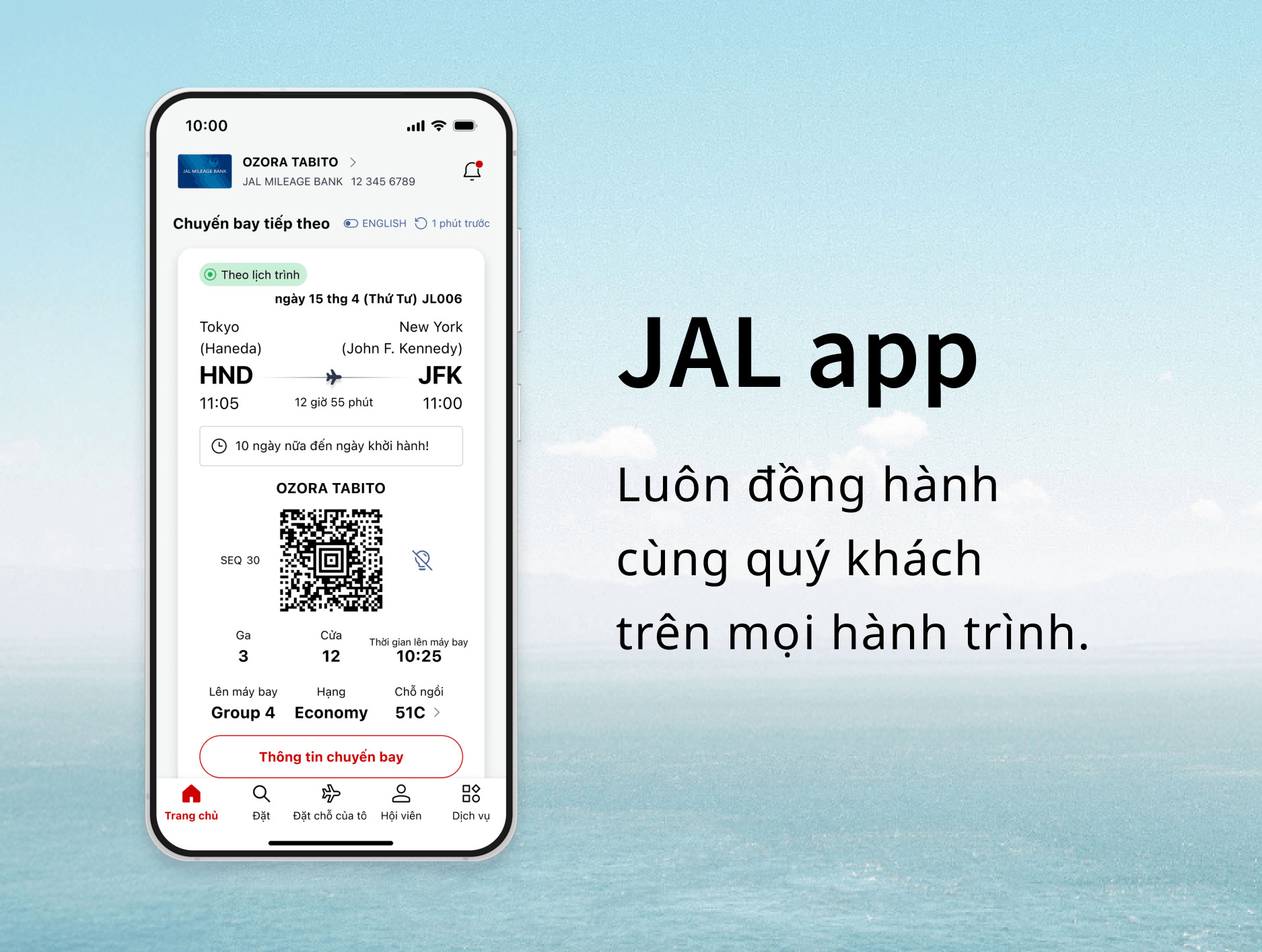
iOS


Android


Notice
Currently, there are some glitches in our system. For more information, please check the details below.

Thiết kế tối giản, được tinh gọn để dễ dùng. Sử dụng thuận tiện và dễ dàng.
Trải nghiệm thoải mái cho cả khách bay lần đầu cũng như hành khách thường xuyên.
Nhận mọi thứ quý khách cần, đúng lúc quý khách cần với Ứng dụng JAL mới đã chính thức ra mắt.
Ứng dụng JAL giúp quý khách sẵn sàng cho chuyến đi tiếp theo chỉ với vài lần nhấn. Kế tiếp, quý khách chọn bay đi đâu?
Các tính năng chính của Ứng dụng JAL
Khám phá, lập kế hoạch và đặt chỗ – Tất cả trong một.

Ứng dụng JAL lo trọn gói mọi thứ, từ khám phá nguồn cảm hứng du lịch và tìm hiểu điểm đến cho tới đặt vé máy bay và giữ chỗ ngồi.
Hình dung về hành trình trước khi bay.

Xem trước thực đơn trên chuyến bay, thời gian phục vụ suất ăn và tình trạng Wi-Fi.
Hình dung trước khoảng thời gian trên máy bay để tận hưởng chuyến bay không chút lo âu.
Thông tin chuyến bay theo thời gian thực ngay trong tầm tay.

Mọi thứ quý khách cần để lên máy bay đều có sẵn nhanh chóng, bao gồm cả thông báo đẩy theo thời gian thực về việc thay đổi cửa hoặc chuyến bay bị hoãn.
Ứng dụng hướng dẫn quý khách trong mỗi bước hành trình. Nhờ vậy, quý khách sẽ luôn nắm được mọi thông tin.
Luôn giữ kết nối, ngay cả trên chín tầng mây.

Kết nối với Wi-Fi trên chuyến bay dễ dàng hơn bao giờ hết với ứng dụng JAL.
Dặm bay và hạng luôn cập nhật.

Dễ dàng theo dõi Dặm bay, Điểm Life Status và hành trình đến hạng tiếp theo.
Thông báo và thông tin tư vấn
Vui lòng cập nhật lên phiên bản mới nhất
Chúng tôi khuyến nghị cập nhật ứng dụng lên phiên bản mới nhất để có trải nghiệm liền mạch.
Môi trường được khuyến nghị
- iOS:iPhone có hệ điều hành từ 15.0 trở lên
- Android:Hệ điều hành từ 11.0 trở lên
- Khi chuyển từ ứng dụng JAL sang trang web JAL, thao tác sẽ tuân thủ theo môi trường được khuyến nghị cho trang web JAL (trang web dành cho thiết bị di động).

Thông báo
Các loại thông báo Mở
Cài đặt thông báo Mở
Câu hỏi thường gặp
Câu hỏi thường gặp: Giới thiệu về ứng dụng JAL
Hướng dẫn sử dụng ứng dụng JAL cho từng dịch vụ và thông tin chi tiết
Chuyến bay nội địa * Mở
* Dịch vụ cho các chuyến bay nội địa Nhật Bản
Chuyến bay quốc tế Mở
Đăng nhập & thông tin hội viên Mở
Details Regarding Technical Issues
For customers experiencing technical issues, please refer to the "Recommended Action" in the table below until the service is fully restored.
We appreciate your patience and cooperation.
Confirmed reservations are not appearing in the app. (Domestic and International flights)
Affected Customers
Customers who meet any of the following conditions:
- [Resolved] Customers who have 10 or more flight records (including flights flown within the past 2 days).
→ Please update the JAL app to the latest version (6.1.0 or higher) from the iOS App Store or Google Play Store. - Customers with reservations for award tickets on JAL-operated flights booked through other airlines, where the mileage account holder and the actual passenger are different.
Recommended Action
Please check your booking details via the "Manage Booking" section on the JAL website.
Completed flights may remain displayed on the app's Home screen. (Domestic and International flights)
Affected Customers
Customers who traveled on flights that experienced delays of 30 minutes or more, or flights operated under special conditions.
Recommended Action
Due to current app specifications, flights may remain on the Home screen for approximately two days after arrival.
When boarding your next flight, please manually select the correct flight from the Home screen or "My Trips" list.
Seat status may incorrectly display as "Not Assigned," even if a seat has already been selected. (International flights)
Affected Customers
Customers with reservations for flights operated by other airlines (flight numbers starting with an airline code other than "JL"), where the ticket was purchased through an entity other than JAL.
Recommended Action
Please verify your actual seat assignment status through the original point of purchase or the "Manage Booking" section on the JAL website.
