
Notice
After 17:00 (JST) on Wednesday, April 15, 2026, the new JAL app will be available by updating to version v6.0.0 via the iOS or Android app stores. (Please note that there may be a delay before the update appears in the store depending on your device.)
Currently, there are some glitches in our system. For more information, please check the details below.
採用簡潔俐落的設計,並經精心打造,讓人人都能輕鬆上手。流暢易用,輕鬆上手的操作性。
無論是首次或經常搭乘 JAL 的旅客,都能享有輕鬆應用毫無壓力的體驗。
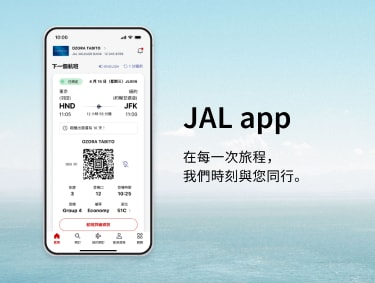
在您需要時提供所需功能,全新 JAL 應用程式現已登場,與您一同翱翔天際。
使用 JAL 應用程式,只需輕觸幾下即可完成您的下一趟旅程。下一站,您想要飛往何處?
JAL 應用程式的主要功能
探索、規劃、預訂 — 全在同一處完成。
從發掘旅遊靈感、探索目的地,到預訂航班與確定座位選擇,JAL 應用程式輕鬆處理所有旅遊事務。
在航班出發前預覽您的旅程。
預先查看機上菜單、餐點服務時間和 Wi-Fi 供應狀況。
預想您的機上時光,盡情享受自在空中旅程。
一手掌握即時飛航資訊。
登機必要資訊一目了然,包含登機門變更或航班延誤的即時推播通知。
應用程式將引導您完成每個步驟,讓您隨時掌握最新動態。
即使翱翔在雲端,也能保持網路連線。
運用 JAL 應用程式,連結機上 Wi-Fi 網路從未如此輕鬆。
您的哩程與會員身分,隨時保持在最新狀態。
輕鬆追蹤哩程、Life Status 點數,以及晉升下一等級的進度。
重要通知與公告事項
請更新至最新版本
建議您將應用程式更新至最新版本,以獲取流暢的使用體驗。
建議的系統環境
- iOS:使用 OS 15.0 或以上版本的 iPhone
- Android:OS 11.0 或以上版本
- 從 JAL 應用程式轉換至 JAL 網站時,操作會符合 JAL 網站(行動網站)建議的系統環境。
通知
通知類型 開放
通知設定 開放
常見問題
常見問題:關於 JAL 應用程式
JAL 應用程式各項服務說明與詳細資訊
國內線航班 * 開放
* 日本國內線服務
國際線航班 開放
登入與會員資訊 開放
Details Regarding Technical Issues
For customers experiencing technical issues, please refer to the "Recommended Action" in the table below until the service is fully restored.
We appreciate your patience and cooperation.
Issues with reservation data not updating in the app (Domestic and International flights)
Affected Customers
For customers with international flight bookings
Recommended Action
Please update the JAL app to the latest version (v6.0.2 or higher) from the iOS or Android app stores.
Confirmed reservations are not appearing in the app. (Domestic and International flights)
Affected Customers
Customers who have 10 or more flight records (including flights flown within the past 2 days).
Recommended Action
Please check your booking details via the "Manage Booking" section on the JAL website.
Completed flights may remain displayed on the app's Home screen. (Domestic and International flights)
Affected Customers
Customers who traveled on flights that experienced delays of 30 minutes or more, or flights operated under special conditions.
Recommended Action
Due to current app specifications, flights may remain on the Home screen for approximately two days after arrival.
When boarding your next flight, please manually select the correct flight from the Home screen or "My Trips" list.
A pop-up regarding the acquisition of personal information appears every time you navigate from the JAL app to the website.
Affected Customers
Customers navigated to the JAL website from JAL app
Recommended Action
Until this issue is resolved, please tap "Confirm" each time the pop-up appears to proceed with your search.
Seat status may incorrectly display as "Not Assigned," even if a seat has already been selected. (International flights)
Affected Customers
Customers with reservations for flights operated by other airlines (flight numbers starting with an airline code other than "JL"), where the ticket was purchased through an entity other than JAL.
Recommended Action
Please verify your actual seat assignment status through the original point of purchase or the "Manage Booking" section on the JAL website.
