


JALアプリ 旅をとなりで支えるアプリ

iOS


Android


Notice
Currently, there are some glitches in our system. For more information, please check the details below.

Desain yang praktis dan sederhana, dirancang agar mudah dipahami oleh semua orang. Penggunaan yang lancar dan mudah.
Pengalaman bebas stres bagi penumpang baru maupun pelancong yang sering bepergian.
Hadir tepat waktu untuk setiap kebutuhan Anda. Aplikasi JAL baru kini telah hadir.
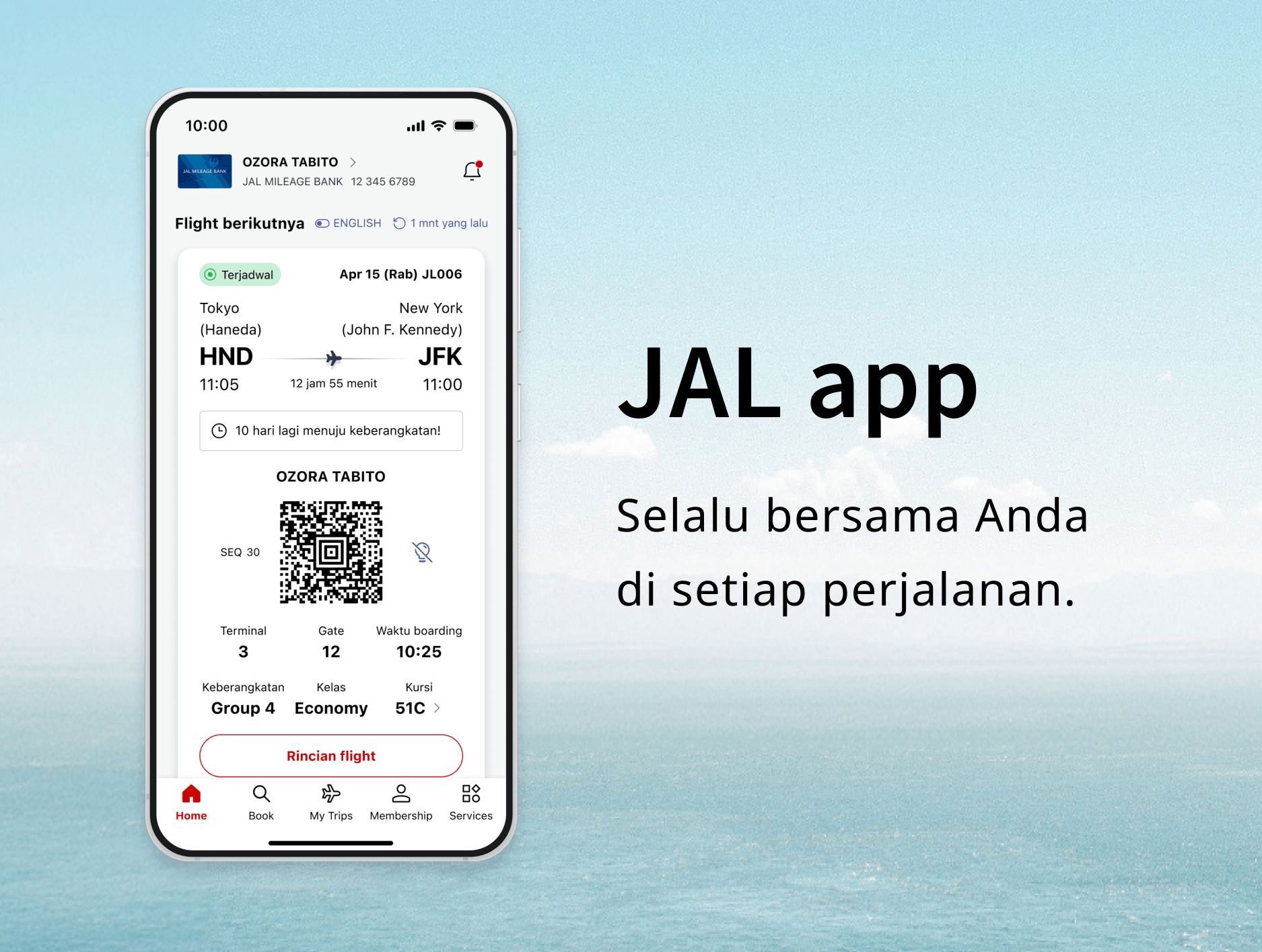
Dengan Aplikasi JAL, perjalanan berikutnya hanya beberapa ketukan saja. Ke mana tujuan terbang Anda berikutnya?
Fitur Utama Aplikasi JAL
Temukan, Rencanakan, dan Pesan — Semua di Satu Tempat.

Dari menemukan inspirasi perjalanan hingga memesan penerbangan dan memastikan kursi Anda, semuanya dapat dilakukan di aplikasi JAL.
Visualisasikan Perjalanan Anda Sebelum Terbang.

Lihat terlebih dahulu menu dalam penerbangan, jadwal layanan santapan, dan ketersediaan Wi-Fi.
Visualisasikan waktu Anda di dalam pesawat untuk menikmati penerbangan dengan lebih baik.
Info Penerbangan Real-Time, Langsung di Tangan Anda.

Semua yang Anda perlukan untuk boarding tersedia dalam satu tampilan, termasuk notifikasi push real-time tentang perubahan gate atau keterlambatan.
Aplikasi ini memandu Anda di setiap langkah, sehingga Anda selalu mengetahui informasi terbaru.
Tetap Terhubung, Bahkan di Atas Awan.

Terhubung ke Wi-Fi dalam penerbangan kini lebih mudah dari sebelumnya dengan aplikasi JAL.
Miles dan Status Anda, Selalu Terkini.

Lacak Miles, Poin Life Status, dan perjalanan Anda menuju tingkat berikutnya dengan mudah.
Pemberitahuan dan Informasi Penting
Harap Perbarui ke Versi Terbaru
Sebaiknya perbarui aplikasi ke versi terbaru untuk pengalaman yang lebih lancar.
Lingkungan yang Disarankan
- iOS:iPhone dengan OS 15.0 atau yang lebih baru
- Android:OS 11.0 atau yang lebih baru
- Saat berpindah dari aplikasi JAL ke situs web JAL, pengoperasian akan mengikuti lingkungan yang direkomendasikan untuk situs web JAL (versi seluler).

Notifikasi
Jenis Notifikasi Buka
Pengaturan Notifikasi Buka
FAQ
FAQ: Tentang Aplikasi JAL
Petunjuk dan perincian setiap layanan di Aplikasi JAL
Penerbangan Domestik * Buka
* Layanan Penerbangan Domestik Jepang
Penerbangan Internasional Buka
Login & Informasi Anggota Buka
Details Regarding Technical Issues
For customers experiencing technical issues, please refer to the "Recommended Action" in the table below until the service is fully restored.
We appreciate your patience and cooperation.
Confirmed reservations are not appearing in the app. (Domestic and International flights)
Affected Customers
Customers who meet any of the following conditions:
- [Resolved] Customers who have 10 or more flight records (including flights flown within the past 2 days).
→ Please update the JAL app to the latest version (6.1.0 or higher) from the iOS App Store or Google Play Store. - Customers with reservations for award tickets on JAL-operated flights booked through other airlines, where the mileage account holder and the actual passenger are different.
Recommended Action
Please check your booking details via the "Manage Booking" section on the JAL website.
Completed flights may remain displayed on the app's Home screen. (Domestic and International flights)
Affected Customers
Customers who traveled on flights that experienced delays of 30 minutes or more, or flights operated under special conditions.
Recommended Action
Due to current app specifications, flights may remain on the Home screen for approximately two days after arrival.
When boarding your next flight, please manually select the correct flight from the Home screen or "My Trips" list.
Seat status may incorrectly display as "Not Assigned," even if a seat has already been selected. (International flights)
Affected Customers
Customers with reservations for flights operated by other airlines (flight numbers starting with an airline code other than "JL"), where the ticket was purchased through an entity other than JAL.
Recommended Action
Please verify your actual seat assignment status through the original point of purchase or the "Manage Booking" section on the JAL website.
