JAL international
Paid Priority Baggage Service
Travel smartly by minimizing the time to claim your baggage at your destination!

Service Outline
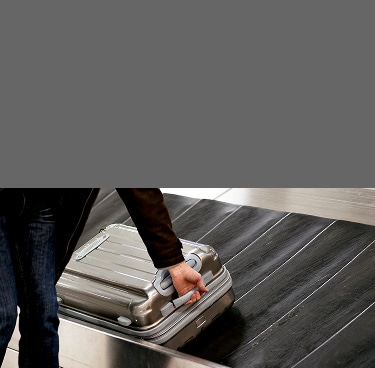
A PRIORITY tag will be attached, and you can claim your baggage upon arrival just like passengers on Business Class.
Applicable routes
JAL international flights operated by JAL
- Codeshare flights operated by other airline with JAL flight numbers are not eligible.
Service Fee
Service fee varies by region to purchase airline tickets.
- If you purchase in the other regions except for Japan and Canada, it will be paid in currency applicable to each region equivalent to the US dollar amount.
Region where you purchased your ticket
| Sales in Japan | Sales in Canada | Sales outside Japan and Canada |
|---|---|---|
| JPY2,000 | CAD20 | USD20 |
- The fee is for one passenger per segment. Please purchase priority tags for each passenger to be eligible for this service.
- The fee for children is the same as for adults.
- This service is free of charge for children under two years old if accompanied by the purchaser. Please check in the children's baggage with the baggage of the accompanying passenger.
- The number of services sold is limited.
Eligibility
Passengers who meet the following conditions
- JMB Diamond, JGC Premier, JMB Sapphire, JAL Global Club, Oneworld Emerald and Oneworld Sapphire members are entitled to similar or superior benefits at no additional cost, so there is no need to purchase this service. For more details, please refer to the information provided below.

Eligible Tickets
JAL international tickets (Ticket numbers starting with 131)
Eligible Itineraries
This service is for scheduled international flights operated by JAL (Excluding JL8000 series flights).
This service is available for the following flights.
Notice
- This service is not applicable if you have connecting flights operated by other airlines.
- This service is not applicable upon arrival on domestic flights.
JAL international flight only (No connecting international flights)
Open
Connecting JAL domestic flight (When connecting from JAL domestic flights to JAL international flights)
Open
Connecting JAL domestic flight (When transferring from JAL international flights to JAL domestic flights)
Open
Connecting international flights from a JAL international flight to a JAL international flight (When connecting at the same airport)
Open
Connecting international flights from a JAL international flight to a JAL international flight (When connecting between different airports)
Open
Booking Class
Economy class or Premium Economy Class
- This service is not applicable to certain fares such as Group inclusive tour fares.
- There may be cases where the inclusive tour purchased at the travel agent is not eligible for this service.
How to Buy the Priority Tag
How to purchase
You can purchase the paid priority baggage service at the same time when you purchase an international airline ticket on the JAL website, or you can purchase it from "Manage Booking" function on the JAL website.
To apply, please see the information below.
- Please purchase this service before checking in, including online check-in, or up to one hour prior to the departure time of international flights (local time).
- This service is not for sale at Check-in counters.
- In case you use an award ticket, please purchase the service from the "Manage Booking" page on the JAL website.
- If you make a reservation only, this service cannot be purchased. Please make your purchase using the "Manage Booking" function on the JAL website after ticket purchase.
- Passengers who purchase or change airline tickets at other than the JAL website and who meet following condition cannot purchase this service at the JAL website. There are other conditions besides the following, please contact the JAL Contact Center to purchase.
As there are other conditions except for the below conditions, please contact the JAL Contact Center if you would like to purchase it.
- In case passenger purchased ticket in a country other than the country where they commence the travel.
Example: Purchase ticket departing from Japan at the JAL Contact Center in America. - In case passenger changed their ticket in a country other than the country where they commence the travel.
Example: Change ticket departing from United Kingdom at ticketing counter in Tokyo.
If you would like to reserve and purchase a ticket, please see this section
CloseSTEP1
Select your flight
Choose the flight you want to reserve.
STEP2
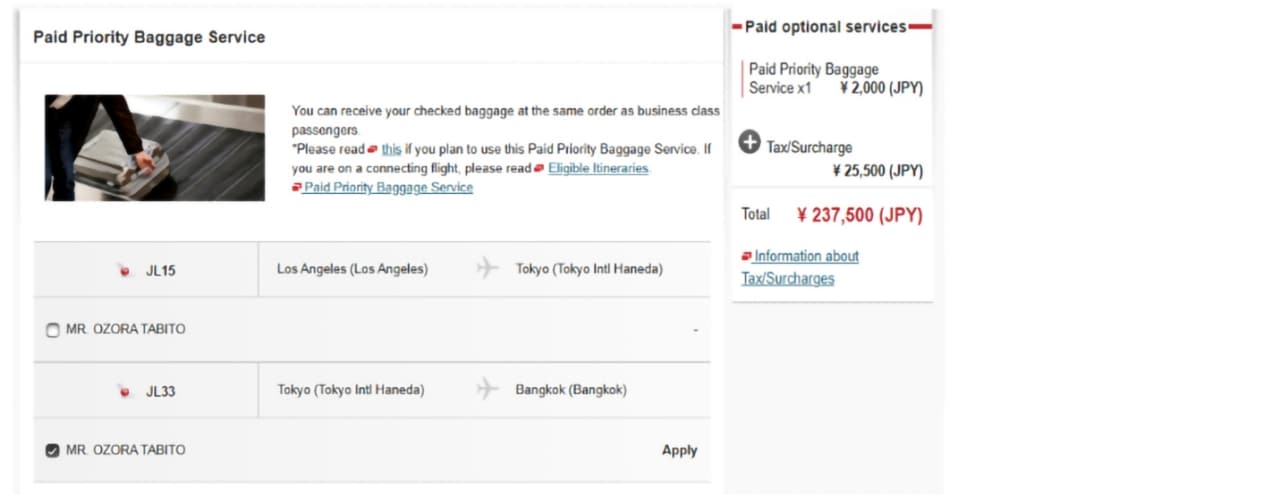
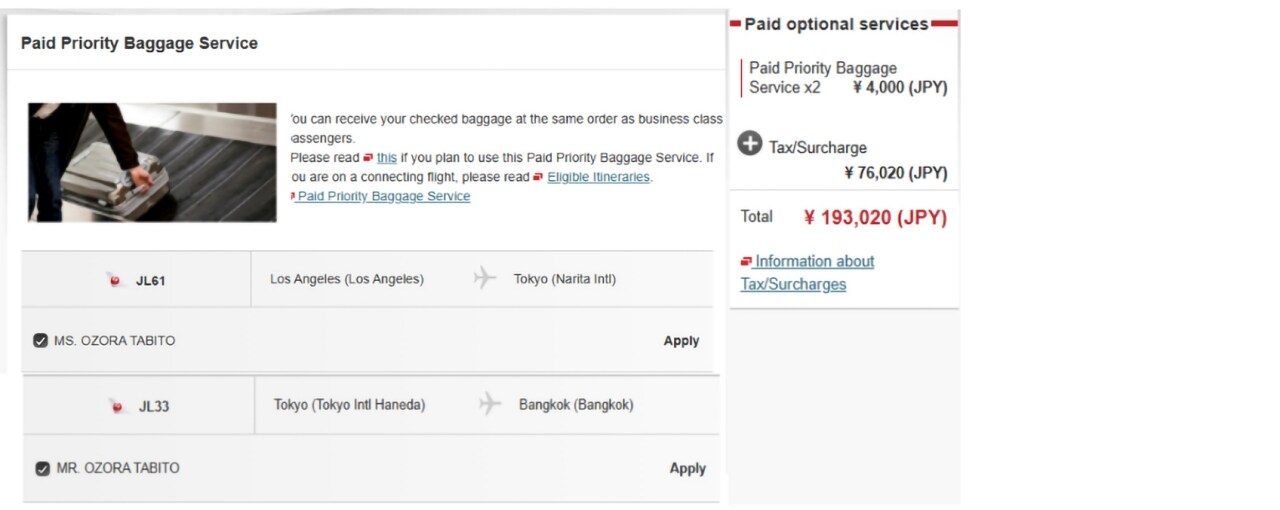
Select "Paid Priority Baggage Service"
Click the "Apply" on the "Paid Priority Baggage Service" screen.
Select the flight(s) and the passenger(s) you wish to purchase.
- JMB Diamond, JGC Premier, JMB Sapphire, JAL Global Club, Oneworld Emerald and Oneworld Sapphire members are entitled to similar or superior benefits at no additional cost, so there is no need to purchase this service.
STEP3
Payment
Confirm the reservation on the "Confirmation" screen, and purchase ticket and Paid Priority Baggage Service together.
- If you hold the reservation without purchasing, the Paid Priority Baggage Service will be cancelled.
STEP4
Confirmation
A confirmation email will be sent to your registered email address.
If you have already purchased a ticket, please see this section
CloseSTEP1
Go to the "Manage Booking" function on the JAL website
Click the "Services (seats, inflight meals, optional extras)" button on the "Reservation detail" screen.
STEP2
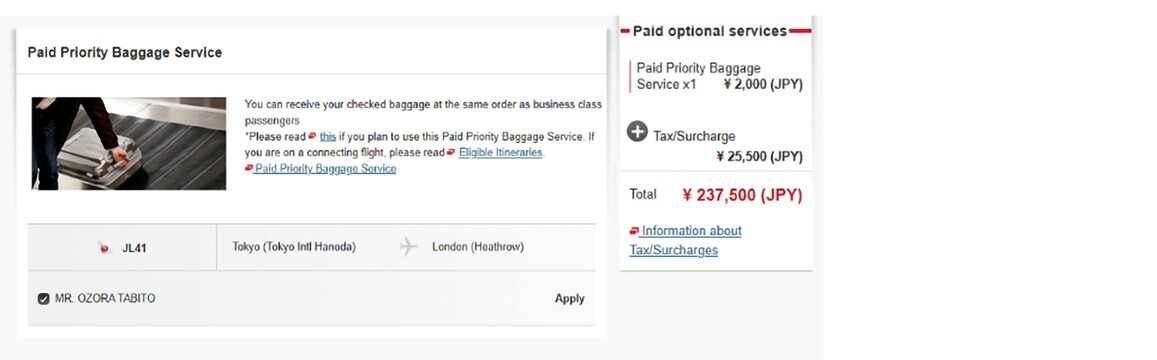
Select "Paid Priority Baggage Service"
Click the "Apply" on the "Paid Priority Baggage Service" screen.
Select the flight(s) and the passenger(s) you wish to purchase.
- JMB Diamond, JGC Premier, JMB Sapphire, JAL Global Club, Oneworld Emerald and Oneworld Sapphire members are entitled to similar or superior benefits at no additional cost, so there is no need to purchase this service.
STEP3
Payment
Confirm on the "Confirmation" screen, and purchase Paid Priority Baggage Service.
- If the payment is not completed, the reservation of the Paid Priority Baggage Service will be cancelled in a few hours.
STEP4
Confirmation
A confirmation email will be sent to your registered email address.
Payment Method
Credit card
- Please refer to the following information regarding credit cards.
Changes and Refunds
Changes
Changes of flights through the JAL website
OpenChanges of flights at the JAL Contact Center
OpenUpgrades to higher classes with miles or additional payment
OpenRefunds
After purchasing this service, if no change or refund of ticket is made, purchased EMD is non-refundable.
If you are requesting a refund for your ticket
JAL website
For a refund of the purchased EMD, please contact the JAL Contact Center after completing the ticket refund process.
JAL Contact Center
Refund for purchased EMD will be processed together with the ticket refund procedures.
- Refund deadline: within 1 year and 30 days from the EMD issue date
For customers who purchased tickets through travel agencies
For changes or refunds of tickets, please contact the travel agency where you purchased the ticket.
Since refunds for purchased EMD cannot be handled by travel agencies, please contact the JAL Contact Center for assistance.
- Refund deadline: within 1 year and 30 days from the EMD issue date